
Price a garden job straight from the design
The take-off is where quotes go wrong
Pricing a garden is mostly arithmetic, and the arithmetic is where it goes wrong. You measure the sketch with a ruler, round the curved bed to a rectangle, forget the second strip of gravel behind the shed, and type it all into a spreadsheet at ten at night. Then the client asks for the deck to be half a metre deeper and you do it again.
If the design is already drawn at its real size, the take-off is already done. This post shows how Duimstok turns the garden you designed into a priced list, and what it deliberately leaves to you.
The quantities come from the design itself
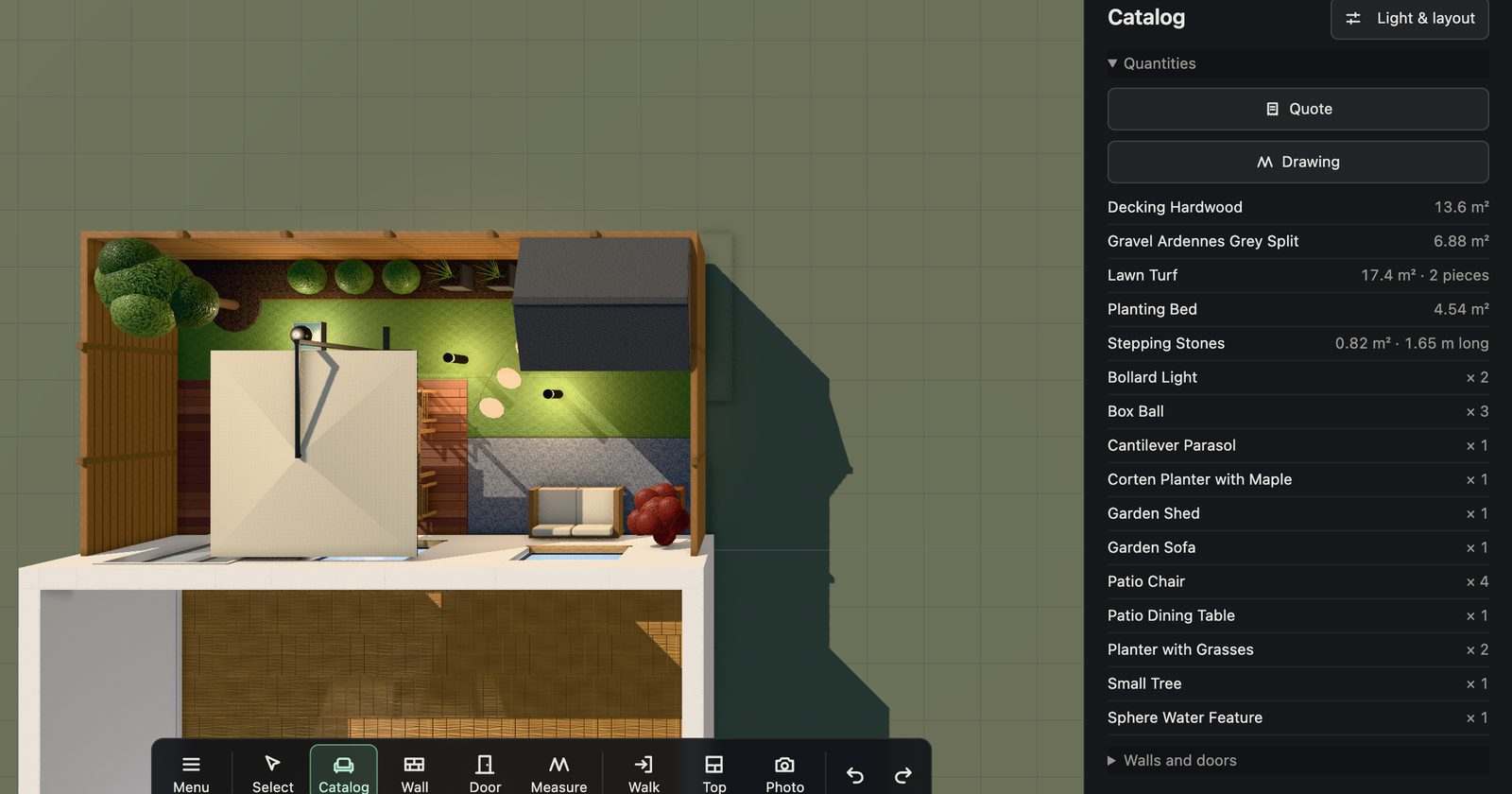
Open the catalogue and unfold Quantities. Every surface is listed in square metres, measured off the outline you actually drew, curves included. A path also gets its length. Every piece of furniture, every planter and every lamp is counted.
In the garden in the picture at the top of this post, that is 13.6 m² of hardwood decking, 6.88 m² of grey gravel, 17.4 m² of turf in two pieces, a 4.54 m² planted border, and stepping stones 1.65 m long. Nobody measured any of it with a ruler: it is the garden the client walked through.
The list follows the design as it changes. Make the deck deeper and the decking line goes up and the turf goes down, at once.
Type your prices once
Press Quote at the top of the list. Each line gets a price box: per square metre for a surface, each for a piece. Type what you charge. Duimstok works out each amount, adds the VAT and shows the total.
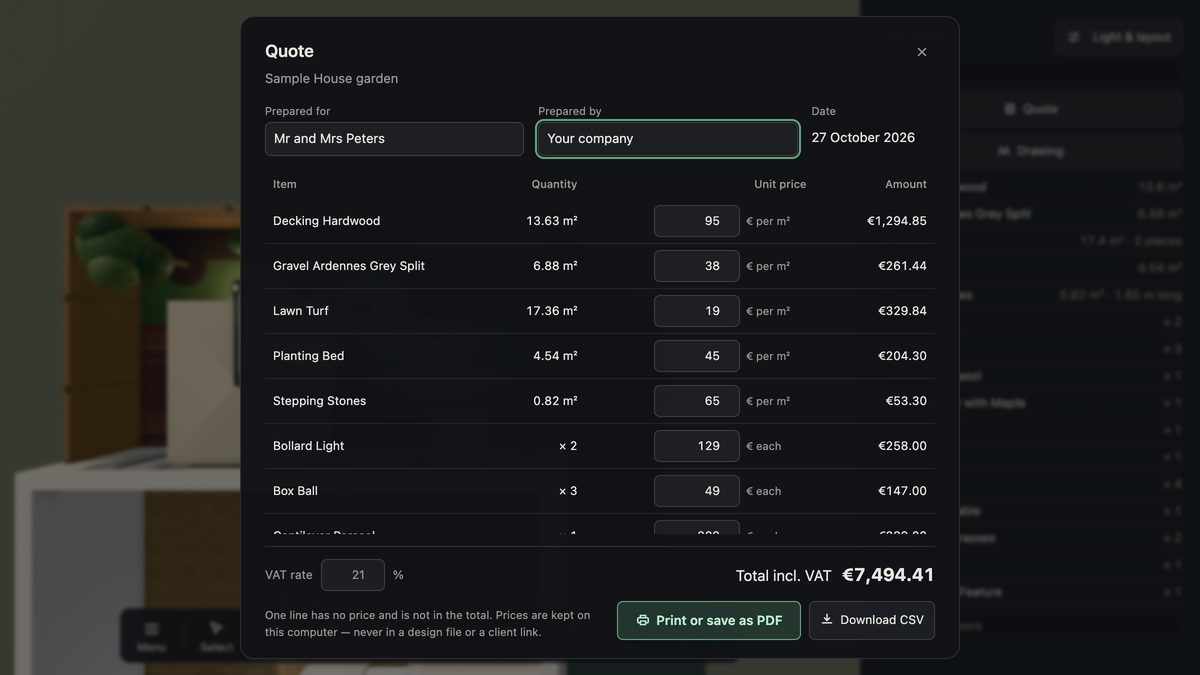
Three details matter more than they look:
- Your prices are remembered per product, on your computer. Price hardwood decking once and it is priced in the next garden too.
- A line without a price is never a silent zero. It shows a dash, stays out of the total, and a note under the table says how many lines are unpriced. Type 0 for something that is included.
- VAT is 21% to start, the Dutch standard rate, and you can type another. There is one rate per quote.
What the numbers are, and what they are not
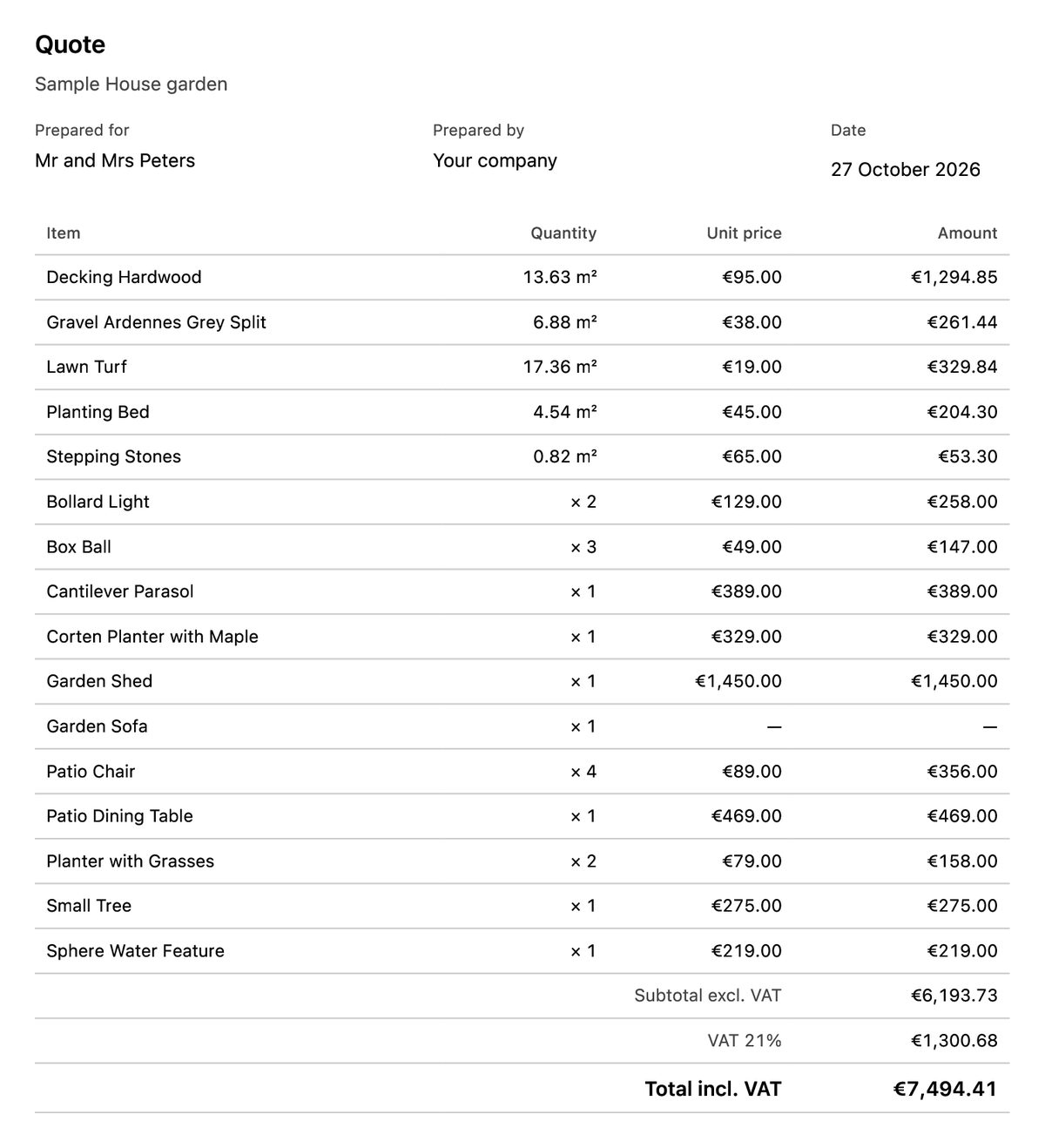
Each area is rounded to a hundredth of a square metre before it is multiplied, so every printed line is exactly its printed quantity times its printed price, and the lines add up to the subtotal to the cent. A client checking the sums with a calculator will find they agree.
What the quote does not do, on purpose, because it would have to guess:
- It adds no waste or cutting allowance. The area is the area. For tiles and slabs, the tile planner counts whole and cut pieces for each way of laying them.
- It knows nothing about what goes underneath: sub-base, sand, membranes, edging, tonnes of anything. Those depend on the site.
- It has no labour lines. Either build labour into your price per square metre, or add it after exporting.
Print it, or save it as a PDF
Fill in who the quote is for and who it is from, then press Print or save as PDF. What comes out is a plain A4 page with the lines, the subtotal, the VAT and the total, ready to send or to put on the table.
Or take it into Excel
Download CSV saves the same lines as a file Excel opens directly. In Dutch, French and German it uses the separator and the decimal comma Excel expects in those languages, so the numbers arrive as numbers, not as text.
That is where the rest of a real estimate goes: labour, sub-base, skip hire, a margin, your own terms. The design gives you the part that is tedious and easy to get wrong; you add the part that is your judgement.
Your prices stay on your computer
Prices are kept in Duimstok on your own computer, and nowhere else. They are not written into a design you save to a file, so you can hand a design to a colleague or a client without handing over your price list.
Limits worth knowing
- Prices are in euros only.
- One VAT rate applies to the whole quote.
- There are no discount, labour or extra lines inside the app; add those in Excel.
- Walls and fences are not in the quantities. Read their lengths off the drawing, or measure them with the tape.
Questions people ask
Does the quote include labour?
Only if your prices do. Either price each square metre laid, labour included, or export the quote to Excel and add labour as its own lines.
Can I use a different VAT rate?
Yes. It starts at 21%, and you can type any rate. One rate applies to the whole quote.
What happens to a line I leave without a price?
It shows a dash, it is left out of the total, and a note under the table says how many lines have no price. Type 0 for something that is included.
Are the areas exact?
They are measured off the outline you drew, curves included, and rounded to a hundredth of a square metre. They are as exact as the plan of the garden, so check the site before you order.