
The first view sells the garden: choose where it starts
The client opens the garden and sees a sofa
You have spent two evenings on the design. The terrace is the right size, the lawn runs to the shed, the planting hides the fence. You sit down with the client, open the walk-through, and the first thing on the screen is their own living room: a sofa, a coffee table, and somewhere behind a glass door, a strip of green.
They are polite about it. You take the mouse, walk them across the room and out through the door, and by the time the garden fills the screen the moment has gone. The first view of a design is the one a client remembers, and nobody chose it.
In Duimstok you now choose it. Where the walk starts, and which way it faces, is a mark you drag on the plan.
The start is a mark on the plan
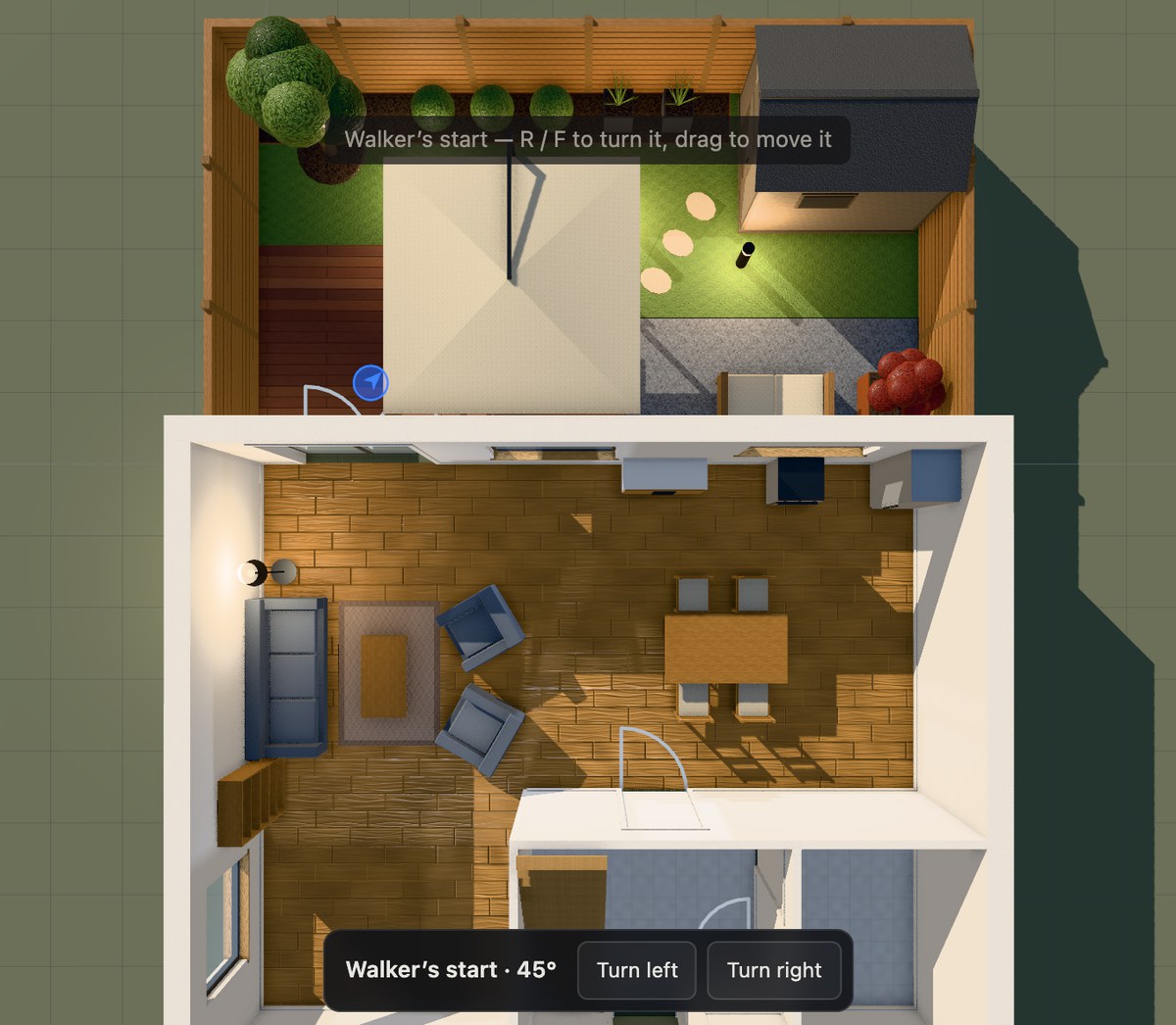
Every plan has one start: a spot on the floor and a direction. From above it shows as a white disc 50 cm across, the width of the walker, with an arrow for the way it faces; it turns blue once you select it. Hover over it and the app says Walker’s start — click to select, drag to move.
Drag it and it moves in steps of 5 cm. Click it and the bar reads Walker’s start with its heading in degrees; Turn left and Turn right, or R and F, turn it 15° a press. Then press Walk, and you are standing there, facing that way. So is your client, every time the design is opened.
The same design, two first views
The garden here is 9.1 m wide and 4.8 m deep, behind a house with a glass door 1.8 m wide. The plan had its start in the living room, 6.75 m from that door. From there the garden is what fits in a door and two windows: a tree, a piece of fence, the corner of a table.
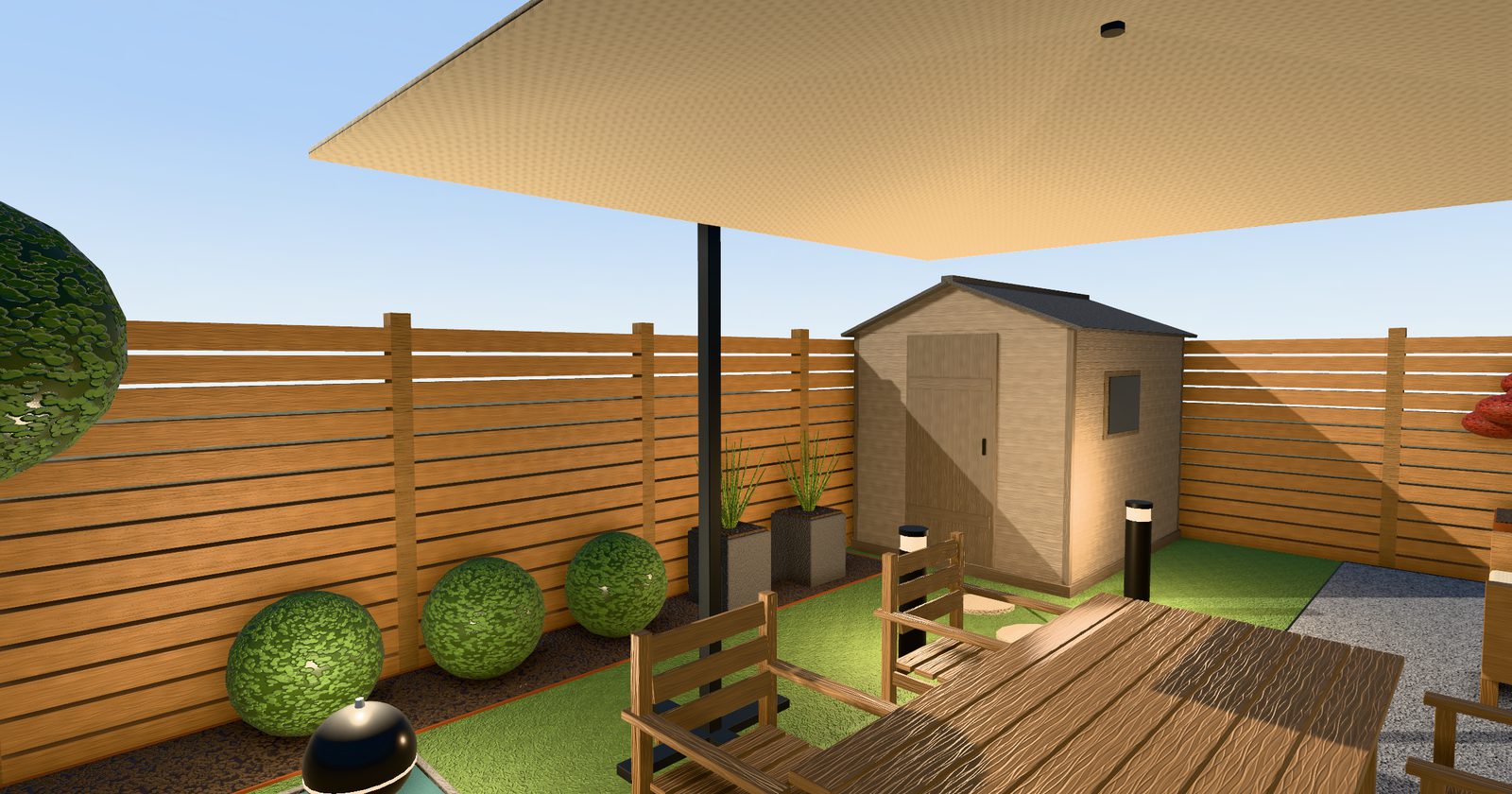
Moved 7.7 m, to the terrace about a metre outside the door, and turned 45°, the start gives a different first frame. The table for four under its 3 m parasol is in the foreground, the border runs along the fence on the left, the lawn leads to the shed in the far corner, and the eye travels the garden's longest line, the diagonal. Nothing in the design changed. Only where the client stands when it opens.
Three starts, three conversations
Where to put it depends on what you are selling.
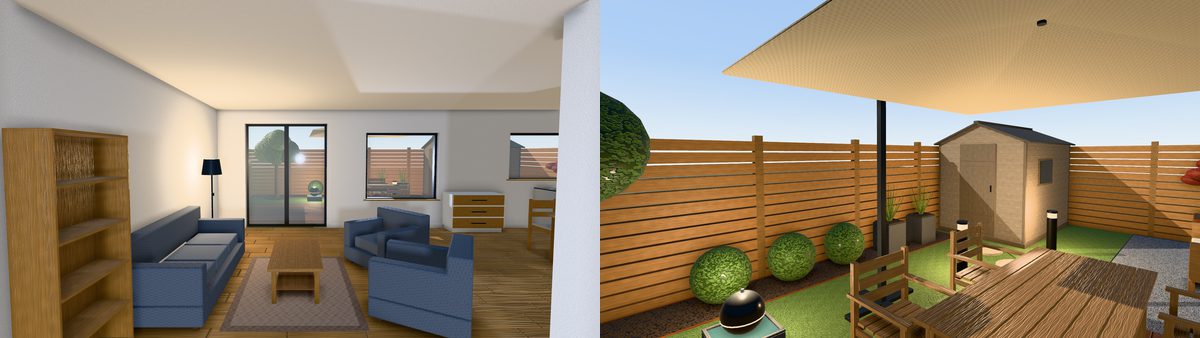
- On the terrace, by the door. For most jobs. It is where the client will stand with a coffee on the first morning, and a diagonal heading shows the whole plot in one frame.
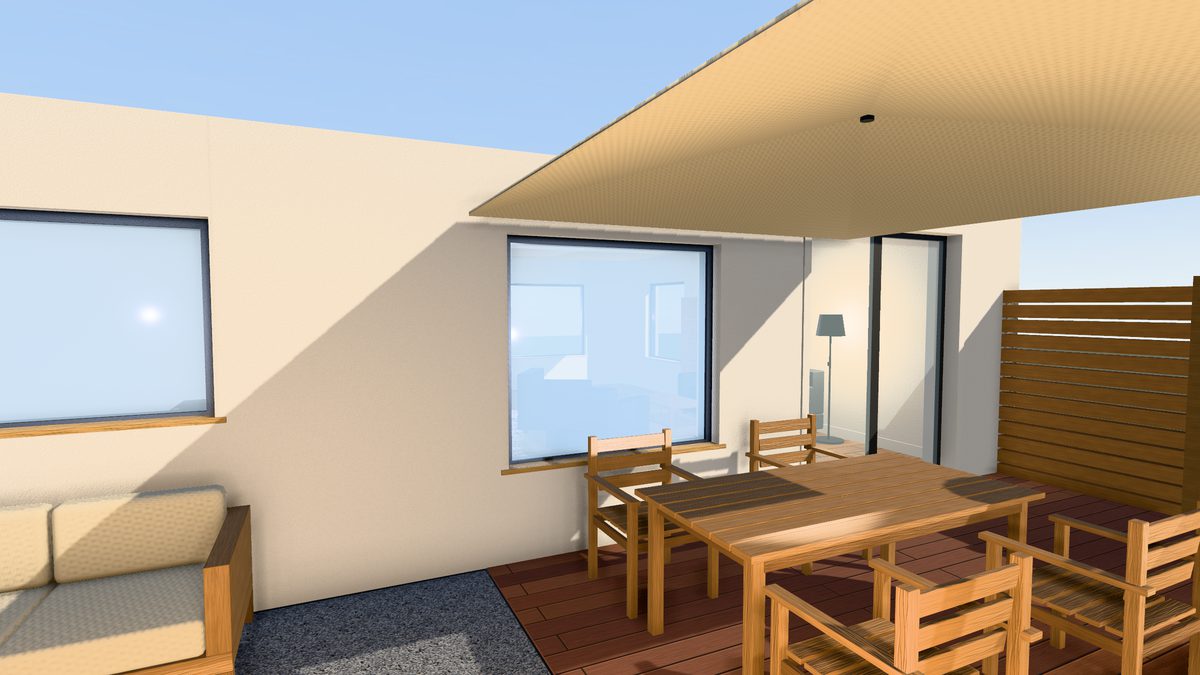
- At the back, facing the house. When the job is the terrace itself, a pergola or the rear of the house. From the lawn, 3.6 m from the house wall, the client sees the terrace as their guests will: the table, the parasol, the door behind it.
- Inside, at the sofa. When the garden is mostly looked at through glass. Then the living room is the right first view, and you chose it on purpose. We wrote about designing for that view before.
Where the start cannot go
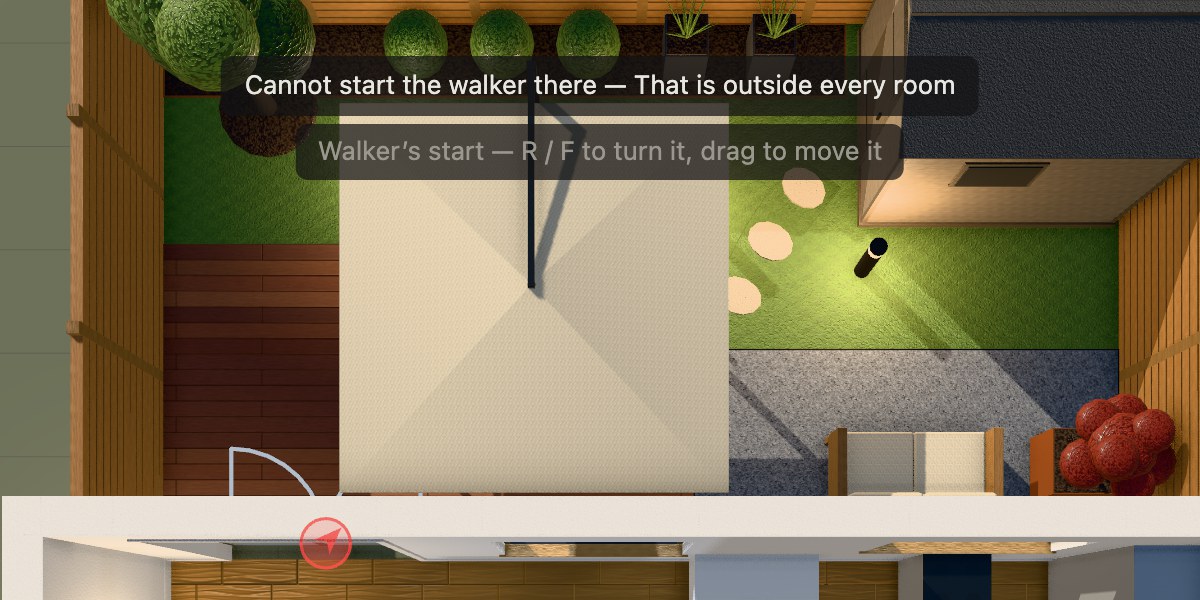
A walker has to be able to stand at the start, so the app refuses a spot where nobody could. Drag the mark onto a wall or past the boundary and it turns red, with Cannot start the walker there — That is outside every room (the garden counts as a room; a wall and the ground beyond the fence do not). Put it where its 50 cm circle would touch a wall, a fence, a shut door or a retaining wall and you get No room to stand there. Let go and the mark returns to where it was.
Furniture does not refuse it. If a chair later ends up on the start, the walker is set down just clear of it.
Try it
- Open your plan and press O for the view from above.
- Find the white disc with the arrow. It is the walker's start.
- Drag it to where the client should stand first: usually the terrace, a step outside the door.
- Click it, then press Turn left or Turn right until the arrow points along the longest view. The bar shows the heading.
- Press Walk. You are at the new start. If the first frame is not the one you want, press O and move it again.
- Use Save to file on the menu. The start is saved with the design.
Limits worth knowing
- There is one start, not a list of viewpoints. For a second view, walk there or move the mark.
- It turns in steps of 15° and moves in steps of 5 cm.
- Each move or turn redraws the design, which takes a moment, and is one step of undo.
- A double-click on the floor from above still moves only you, never the start.
Questions people ask
How do you present a garden design to a client?
Show one view first, the one they will have most often, and say nothing for a few seconds. Then let them walk it themselves, and only after that bring out the plan, the quantities and the price. A client who has stood in the garden reads the drawing differently.
Where should a 3D garden walk-through start?
At the door the client will use to step into the garden, facing the longest line of the plot, which is usually a diagonal. Start indoors only when the view from inside is what the design is about.
Does moving the start change the design?
No. Nothing in the garden moves. The plan keeps a new position and heading for the walker, and undo takes it back.