
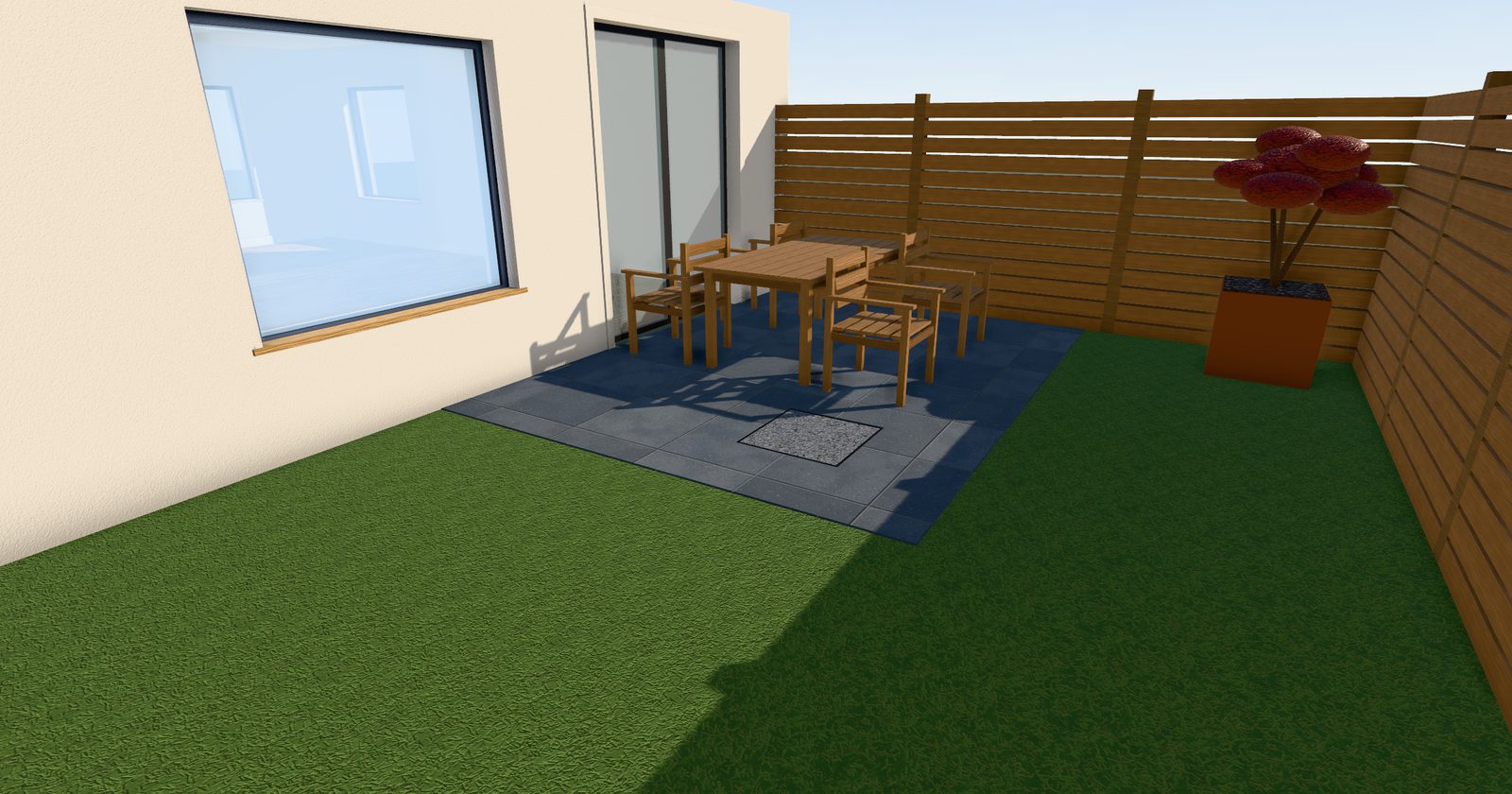
A well cover in the terrace: hide it, keep it reachable
The lid in the middle of everything
The new terrace is going exactly where the rainwater well is, and its concrete lid sits right where the table will stand. You do not want to look at it every evening, but the well needs cleaning, the pump needs checking, and one day someone will have to lift that lid. Paving over it is the mistake people regret first.
It is a question that comes up on Dutch and Flemish building forums every few months: how to hide the covers behind the terrace and still get to them. Here is one answer that costs almost nothing, planned in Duimstok before a single slab is laid.
The terrace: 4.00 × 3.00 m of bluestone
The garden is the 9.10 × 4.80 m back garden we use for every example. Against the house is a terrace of 60 × 60 cm bluestone, 4.00 × 3.00 m, 12.0 m², with a table and four chairs. In this example the well's cover sits under the terrace, about a metre in from its lawn side, where one slab would cover it.
Leave one slab out, on purpose
The simplest hatch is the size of one slab. Lay the terrace as normal, but leave out the 60 × 60 over the cover and fill that square with something you can move by hand: gravel on a membrane, a slab laid loose in sand, or a tray made for the purpose. From the table it reads as part of the paving pattern. To reach the well, you scoop out the gravel or lift the loose slab.
The trick is to line it up with the joints. A hatch that cuts across four slabs means four cut slabs and a ragged edge; a hatch that is exactly one slab means no cuts at all.
Cut it out of the plan
In Duimstok the terrace is one laid covering. Since v1.0.9 you can select it, press Cut, and drag over the part you want taken out. Here the drag runs over the one slab above the cover, along its joints. The status line says Cut — 2 pieces left: the app cuts a hole across, so the terrace becomes two pieces that meet round the hatch, and it keeps every other joint where it was.
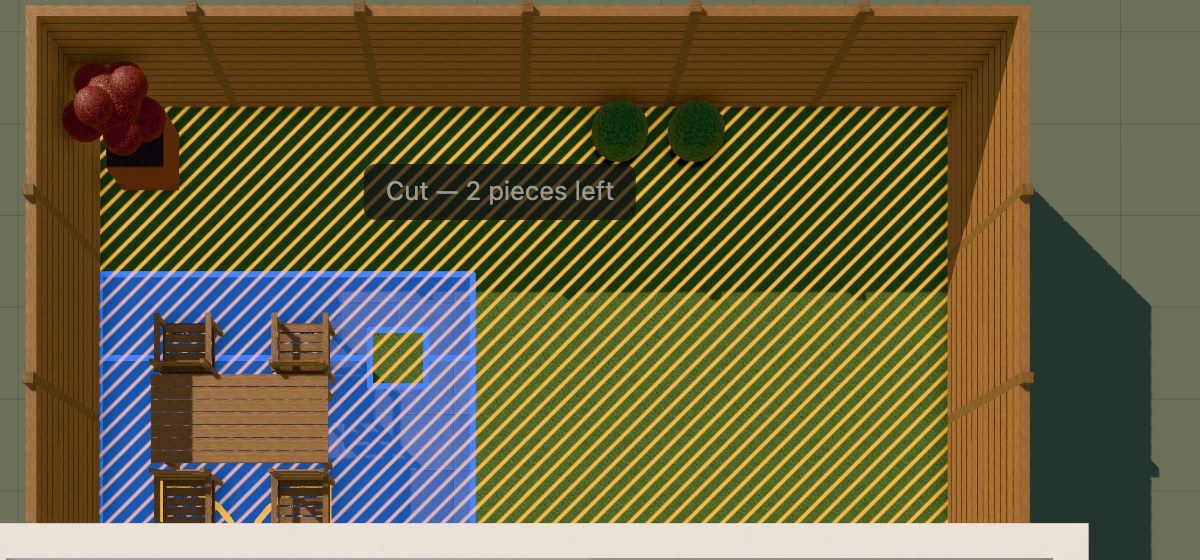
The bar now reads 2 × Bluestone 60×60, 11.6 m². The Quantities list says the same: 11.6 m² in 2 pieces instead of 12.0 m². One slab, 0.36 m², is not bought. Then use Fill with a gravel over the free ground in the hole: 0.36 m² of grey gravel, 60 × 60 cm on the bar, counted on the list as its own line, ready for the quote.
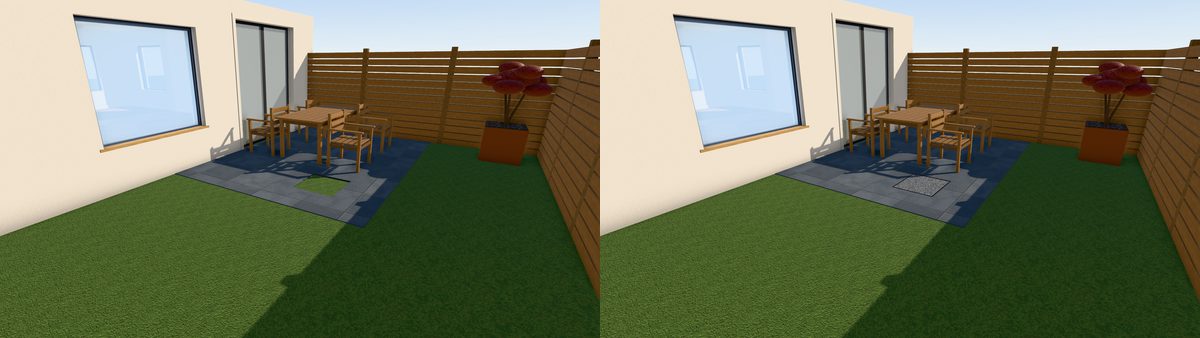
Other ways to hide it
The gravel square is the cheapest, but not the only answer:
- A recessed cover tray. A steel tray that takes the same slab or pavers as the terrace, so the lid disappears into the pattern. Size the hole in the plan to the tray, not the slab.
- A planter on top. A large pot on the gravel square hides it completely; move the pot, scoop the gravel.
- Move the edge. If the cover is near the side, cut the terrace back so the cover falls in a border of gravel or planting along its edge.
Whichever you choose, try it in the plan first and look at it from the garden doors. A square of gravel in the middle of the table zone looks deliberate; the same square half under a chair leg does not.
Try it
- Open your plan, press O for the view from above and lay your terrace from Catalog.
- Click the terrace to select it and press Cut on the bar.
- Drag over the part to take out, or click its corners one by one and press Done. Press Esc to stop cutting.
- Pick a gravel in the catalogue, press Fill and click inside the hole.
- Open Quantities to see the slabs and the gravel, then press Walk and look at it from the table.
Limits worth knowing
- The app has no well, pipe or cover in its catalogue: mark where the cover is from your own measurements.
- It does not plan drainage, levels for water run-off or the build-up under the paving.
Questions people ask
Can you pave over a rainwater well cover?
You can, but you will have to break it open the day the well needs cleaning. Leave a hatch over it instead: one slab left out and filled with gravel, or a cover tray that takes the paving.
How big should the access hatch be?
At least the size of the cover, and ideally one whole slab, lined up with the joints. With 60 × 60 slabs, a one-slab hatch gives 60 × 60 cm of access and no cut slabs.
How do I hide a manhole cover in a patio?
A recessed tray filled with the same paving, a loose slab in a gravel square, or a planter standing on gravel. Try each in the plan and look at it from where you sit.